
While the USB-C dongle comes paired to the headset out of the box, the need my arise to pair the headset to a new dongle. With most headset models, the pairing process can be completed through SteelSeries GG.
In order to pair the two devices together, you will need the following:
- A PC with SteelSeries GG installed. (https://steelseries.com/gg)
- The USB-C Dongle. If your computer does not have a USB-C port, you will also need the USB-A to USB-C adapter cable.
- The charging cable for the headset.
Once all items are ready, please follow the steps below:
- Install SteelSeries GG, if not already done so.
- Connect both the USB-C dongle, and the headset unit, to the computer via USB. It is recommended to connect the items directly to the computer, and to not use any external hubs.
- In the software, go to the Gear Tab > Orange gear icon near you device, and click "Pair Device"
- A new window will open to start the pairing process. If Engine is informing you that a device is not connected, please try unplugging and replugging the device, try plugging the device into a different USB port, or try a different USB charging cable.
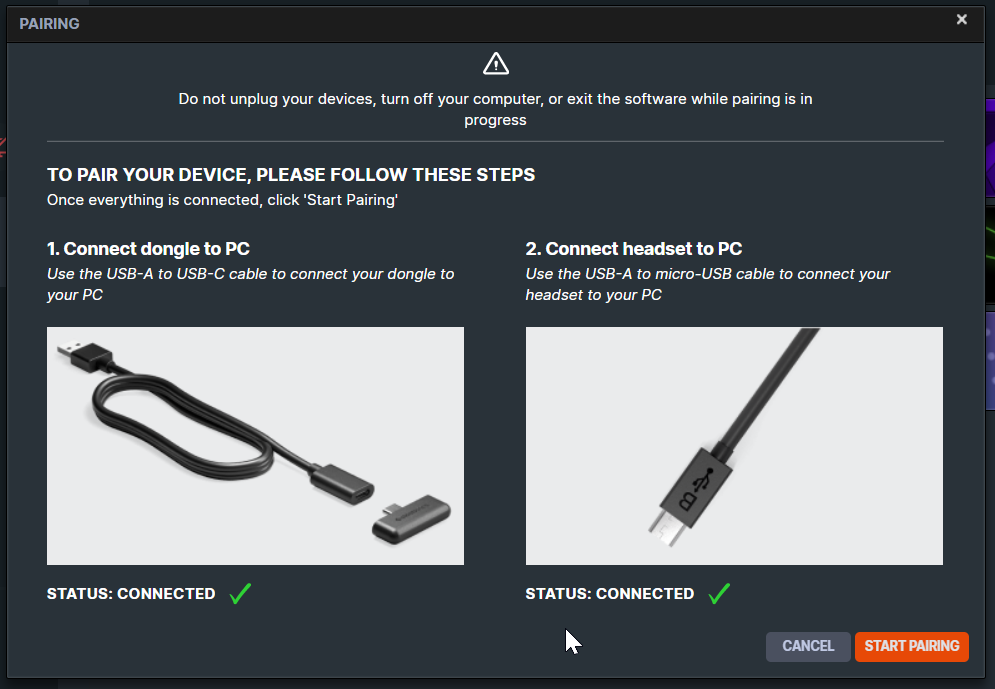
- Once all devices are connected, click "Start Pairing" to pair the devices together.
Once paired, you should be free to unplug both devices.
Don't see the pair device option under the gear icon? This usually means that your headset and dongle can be paired outside of the Software - simply check out your User Manual for the pairing instructions or look up your specific model in our Support Page.